Choose what leaves
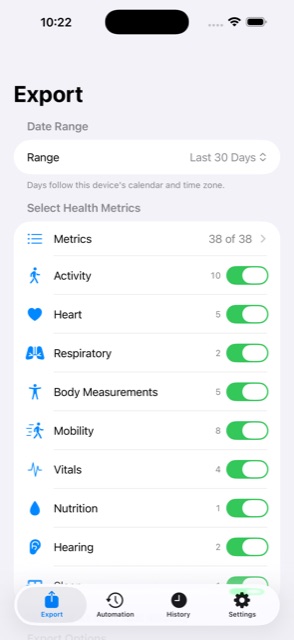
Pick from 38 metrics across activity, heart, sleep, mobility, body measurements, respiratory, vitals, hearing and nutrition. Metrics you switch off are never requested from Apple Health in the first place.
HealthPort
HealthPort reads the health and fitness data already on your iPhone and writes it out as a clean, dated file you can actually use — for a dashboard, a spreadsheet, or your own records. It runs on your device, and the file goes where you tell it to.
Coming to the App Store. HealthPort is still in development — there is no download yet, and no pre-order to sign up for.
In the app
What it does
Pick from 38 metrics across activity, heart, sleep, mobility, body measurements, respiratory, vitals, hearing and nutrition. Metrics you switch off are never requested from Apple Health in the first place.
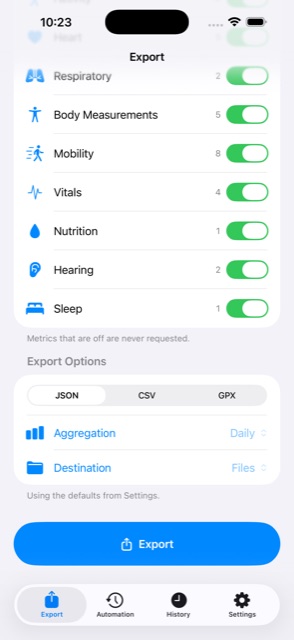
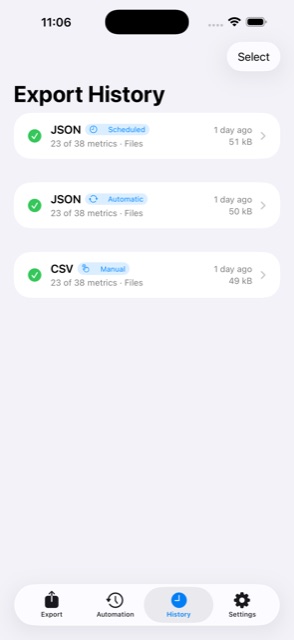
Export a single day or a decade, summarised hourly, daily, weekly or monthly, as JSON, CSV or GPX. Days follow your device's own calendar and time zone, and nights that straddle midnight stay as one night.
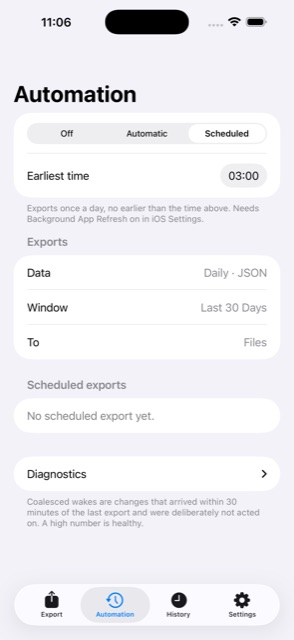
Write to the Files app, to iCloud Drive, or to your own Google Drive. You choose, and you can change your mind. Runs can be manual, or left to happen on their own when new data arrives or on a schedule.
Privacy
HealthPort has no accounts, no servers and no analytics. Your health data is read on your iPhone, turned into a file on your iPhone, and delivered to the destination you picked. TidyByte Development operates no backend of any kind, so there is nowhere for your data to arrive even in principle.
If you choose Google Drive, HealthPort talks to Google directly from your phone, and asks for the narrowest access Google offers: it can only see and manage the files it creates itself. It cannot read anything else in your Drive.